Short Links & Smart Redirection
The Short Link system allows you to create shortened URLs (like link.you.com/xyz) that come with powerful features to optimize traffic, improve user experience, and protect your content.
Deep Linking
Major social platforms like TikTok, Instagram, and Snapchat open links in their own “in-app browsers”. These browsers often delete cookies, do not save login sessions, and provide a restricted user experience.
Deep Linking solves this by forcing the link to open in the user’s default system browser (Safari/Chrome).
How it works
We use clean, compliant techniques to trigger the system browser. On platforms like TikTok where automatic deep linking is blocked, the user is presented with a simple, legitimate instruction screen to open the link in their browser manually.
Comparison
Standard Link (In-App Browser)
User stays stuck inside the app.
With Deep Linking
User is moved to Chrome/Safari.
TikTok With Deep Linking
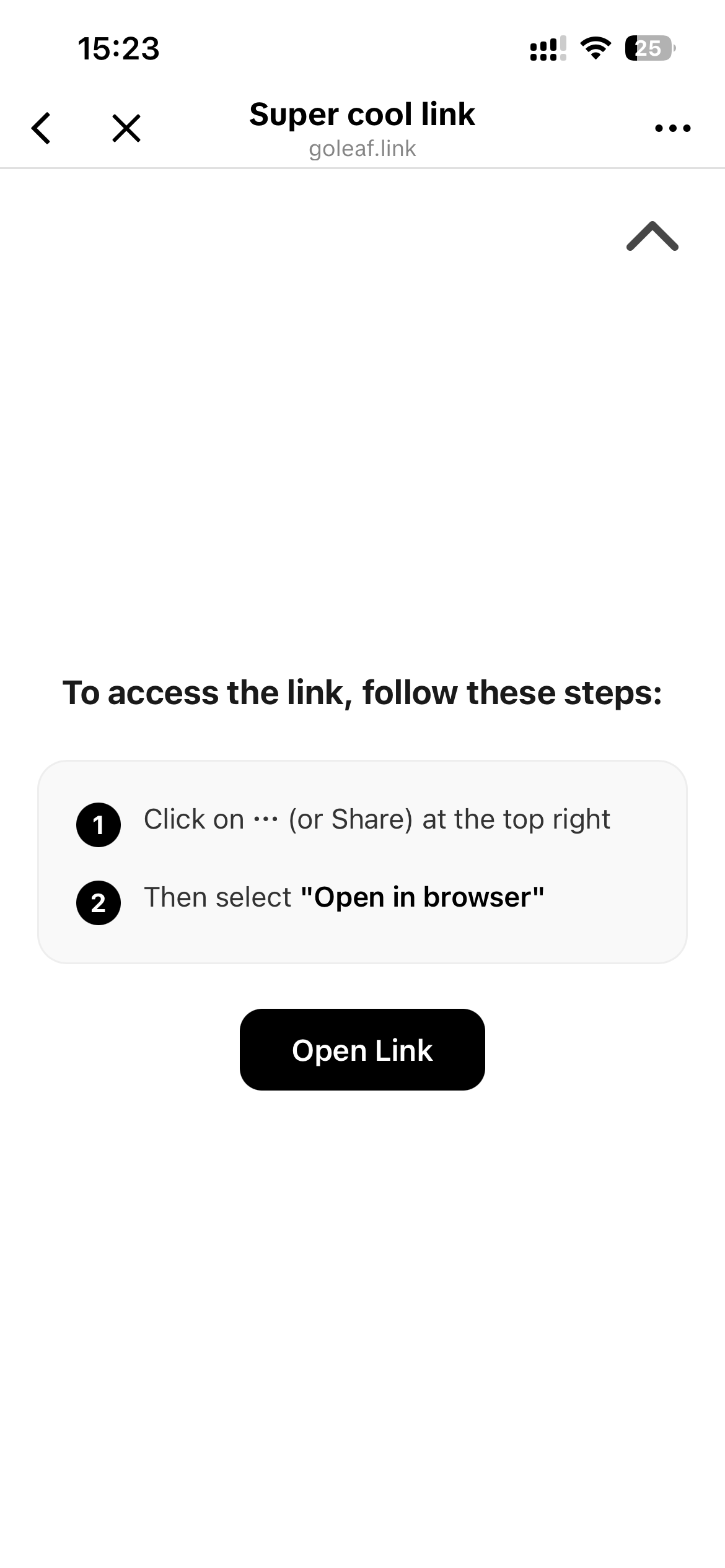
TikTok blocks all deep links.
Platform Compatibility
| Platform | Deep Link Support | Behavior |
|---|---|---|
| ✅ Yes | Automatic redirect to System Browser | |
| ✅ Yes | Automatic redirect to System Browser | |
| Twitter / X | ✅ Yes | Automatic redirect to System Browser |
| Telegram | ✅ Yes | Automatic redirect to System Browser |
| TikTok | ❌ No | Shows manual instruction screen |
| Snapchat | ❌ No | Shows manual instruction screen |
Smart Redirection
You can create dynamic redirection rules to send different users to different destinations based on their context. This is essential for affiliate marketing, app downloads, and targeted campaigns.
How It Works
Available Rules
You can stack multiple rules with priority. If no rule matches, the user is redirected to the Default URL.
-
Geography (Country)
Target specific countries.
Example: Send US traffic to an English landing page and FR traffic to a French one. -
Device / OS
Target specific form factors (Mobile, Tablet, Desktop) or Operating Systems (iOS, Android, Windows, macOS, Linux).
Example: Redirect iOS users to the App Store and Android users to the Play Store. -
Time & Date
Create limited-time links or schedule changes.
Example: Redirect to a “Sale” page only between 9 AM and 5 PM, or on weekends. -
Referer Source
Target users coming from specific platforms.
Example: Show a special offer to users coming specifically from TikTok. -
Language
Target the user’s browser language settings.
Bot Protection
Protect your content from scrapers, crawlers, and platform moderators.
When Bot Protection is enabled, the system analyzes the visitor’s “User Agent” and behavior patterns.
- Real Users: Redirected to your Original URL (Money Page).
- Bots/Moderators: Redirected to a Safe URL (Safe Page).
This technique (often called “Cloaking”) helps prevent your links from being flagged or banned by social platforms during manual reviews or automated scans.
If the Short Links feature is disabled or inactive for your account, all short links will redirect to https://multi-upload-tool.com .